To check whether AI tools cite your site, run a fixed set of prompts on a schedule, record which sources each answer names, and look for AI referrals in your analytics. A spreadsheet and an hour a month is enough to start. When you need more prompts or daily tracking, there are paid tools, and I cover the two I have used further down.
No tool gives a complete picture. AI answers vary between runs, between users and between locations, so what you collect is a sample, not a ranking.
What “cited” means
AI products show sources in different ways. ChatGPT with search and Perplexity list links beside the answer. Google’s AI Overviews show links to pages next to the summary. Gemini and others may link only some claims. A mention of your brand with no link is also useful to record, but it is a different thing from a citation.
Keep three categories in your log:
- Cited: your URL appears as a source.
- Mentioned: your brand name appears in the text, with no link.
- Absent: neither.
Step 1: choose 15 to 20 prompts
This is a starting point for a manual log. It is enough to spot patterns, but not to see your full AI visibility; see how many prompts a tracker needs.
Write the questions your customers would ask, in their words. Mix three types:
- Informational: “How do I get my Google Business Profile verified in South Africa?”
- Recommendation: “Which SEO consultants in Cape Town do you recommend?”
- Brand: “What is SerpSurfers?”
Keep the list fixed so you can compare month to month. Add new prompts at the end instead of replacing old ones.
For a local business, write a few that include your suburb or city. For a plumber in Bellville, that is “who should I call for a burst geyser in Bellville” and “how much does a plumber callout cost in Cape Town”.
Step 2: pick the tools to test
Test the ones your customers use. That usually means ChatGPT, Google (including AI Overviews where they appear), Perplexity and Gemini. Use a logged-out or private session where you can, so your own history does not shape the answer.
Step 3: build the log
A spreadsheet with these columns works:
| Date | Tool | Prompt | Result | Which URL | Who else was cited | Notes |
|---|---|---|---|---|---|---|
| 2026-11-03 | Perplexity | How to verify a Google Business Profile | Cited | /blog/… | Google support, Whitespark | Second source listed |
| 2026-11-03 | ChatGPT | Best SEO blogs for local SEO in South Africa | Absent | Moz, BrightLocal |
The two rows are examples of the format, not real results. Record the same prompt in each tool on the same day. Take a screenshot of each answer. Screenshots are your evidence if an answer later changes.
Step 4: run each prompt more than once
AI answers differ from run to run. Run each prompt two or three times and record how often your site appears. “Cited in 2 of 3 runs” is more honest than a yes or no.
Step 5: look for AI referrals in analytics
Some AI products pass a referrer or tag links, so visits show up in Google Analytics 4. Here is a way to find them:
- Open Reports, then Acquisition, then Traffic acquisition.
- Change the primary dimension to Session source / medium.
- Search for sources such as chatgpt.com, perplexity.ai, gemini.google.com and copilot.microsoft.com. Older ChatGPT visits may show as chat.openai.com.
- Note the sessions for each over the last 28 days.
ChatGPT adds utm_source=chatgpt.com to some of the links it opens. Because that tag has no medium, GA4 may file those visits under Unassigned instead of Referral, so look there too. Perplexity and Gemini usually rely on the referrer alone.
This undercounts. Many AI-assisted visits arrive with no referrer and look like direct traffic. Treat the number as a floor, not a total.
Step 6: check Search Console for AI features
Google has started adding generative AI performance reports to Search Console, with separate views for Search and Discover. The Search view covers AI Overviews and AI Mode. Google is rolling them out to a subset of sites first, so you may not see them yet.
The data is also included in your normal Performance report, so it is not a separate total. The reports show impressions, pages, countries, devices and dates, but not clicks.
If you do not have the reports yet, you can still use one check: if an informational page gains impressions without a matching rise in clicks, an AI Overview or similar feature may be answering the query. Compare against a few queries you search yourself.
What to do with the results
- If you are cited: note which page and which passage. The pages cited tend to answer the question directly. Look at what they have in common.
- If competitors are cited and you are not: open their page and compare structure, specificity and freshness.
- If nobody useful is cited: the topic may be thinly covered. That is an opportunity for a clear answer.
- If your brand is mentioned but not linked: check whether the tool could find a page that states who you are. A clear About page and consistent business details help.
An example from an agency I worked for
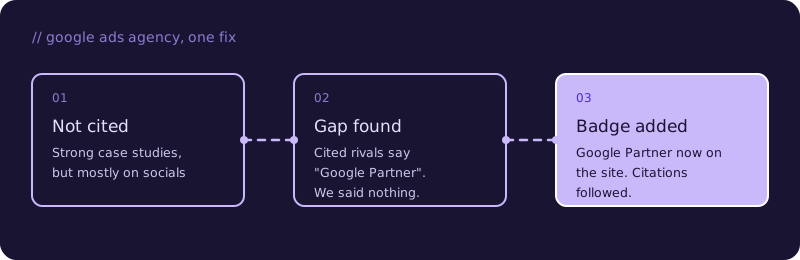
At a previous agency, we were not being cited as a Google Ads agency, even though we had strong case studies and posts about our results. Most of that lived on our social accounts.
When I looked at the answers, every competitor that was cited stated on its website that it is a Google Partner. We were a Google Partner too, but our site did not say so. We added it as a trust signal, and soon after we started being cited.
When a manual log is not enough
A manual log tells you most of what you need on a small site. Paid trackers help when you need more prompts, daily runs or clients’ own prompts. Several exist; these are the two I have used, so I can only speak to them.
Ahrefs Brand Radar
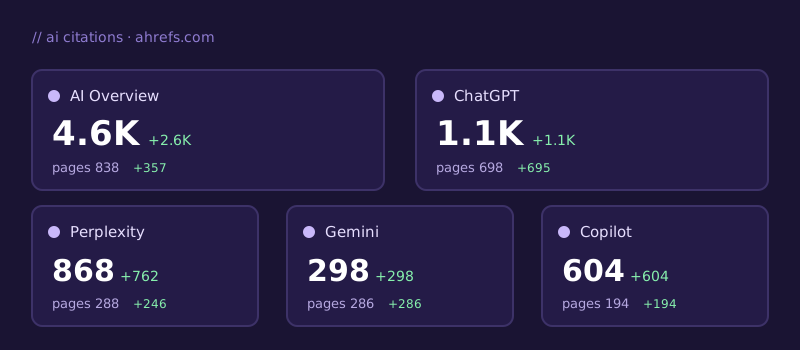
In Ahrefs, Site Explorer shows whether your site is cited in AI Overviews, Gemini, ChatGPT, Copilot and other products. Their documentation lists exactly which ones are covered.
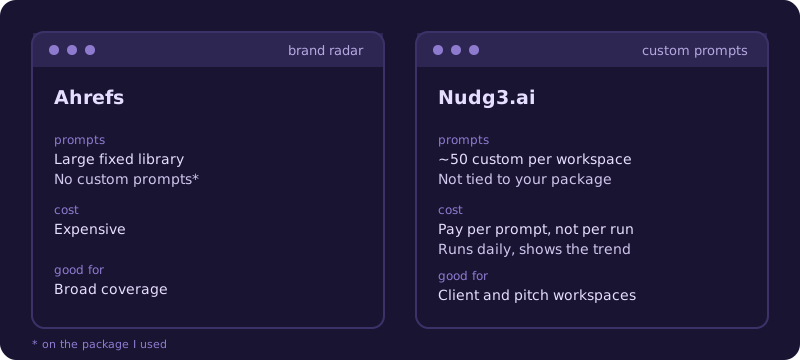
- Strength: you get access to a very large library of prompts.
- Limit: on the package I used, you cannot add custom prompts. If the prompt you care about is not in their database, you cannot track it.
- Cost: it is expensive.
The custom prompt limit matters most for agencies. Both prospective and existing clients want to see their own prompts, and a fixed library can’t always cover them.
Nudg3.ai
Nudg3.ai prices for South Africans. You build a workspace per client or pitch with your own prompts, about 50 per workspace, and the number is not tied to the package you have with them.
- Pricing: you pay for the number of prompts, not the number of runs. Prompts run daily, so you get a trend over time.
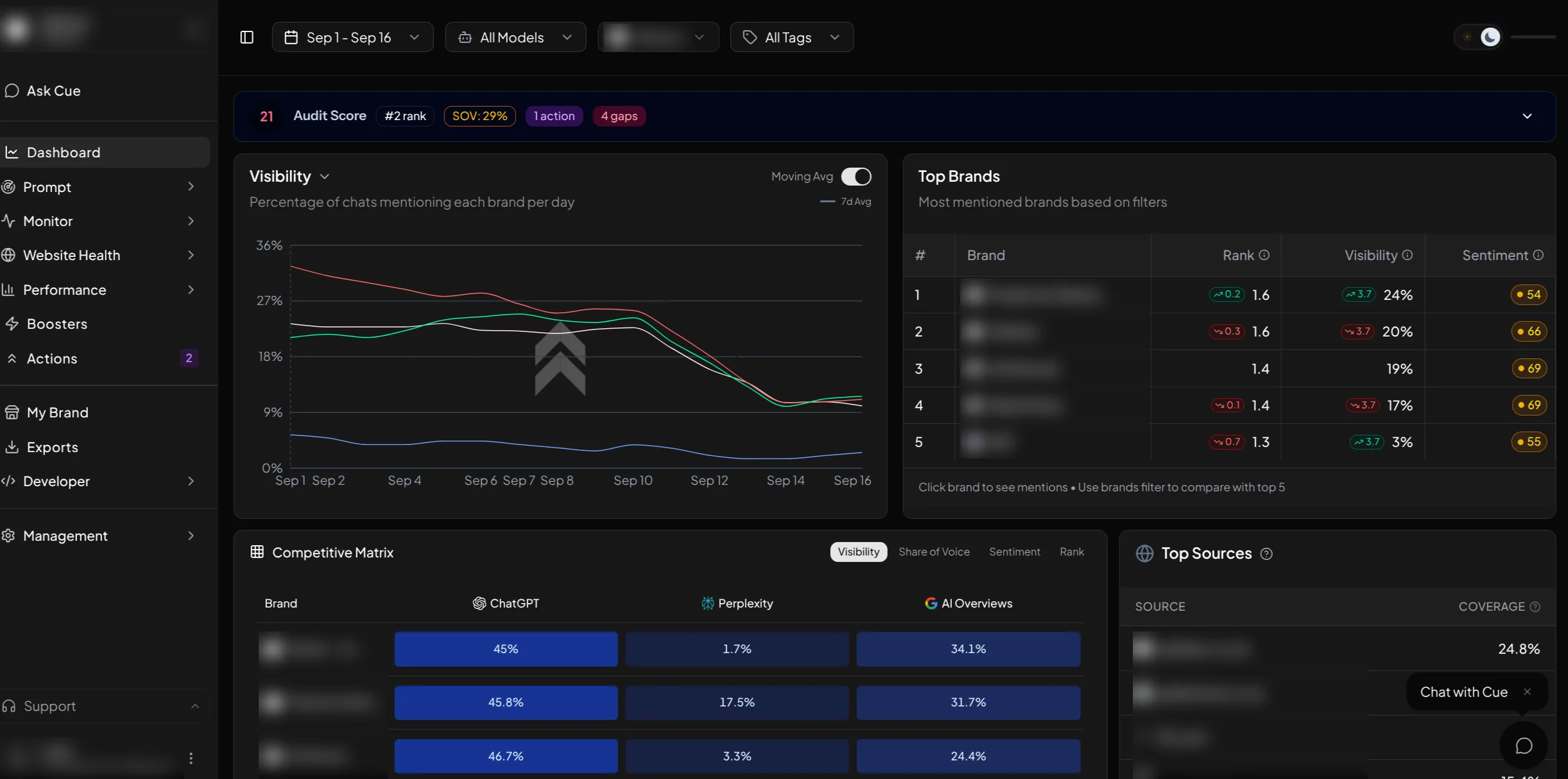
- What it shows: what the LLM said, where your business ranked, which URL was cited, and how you were described. Those descriptions point to information missing from your site. It also reports AI sentiment.
- Crawlability: it analyses your site’s AI crawlability, so you can tell whether the problem is your content or your site blocking AI crawlers. See should you block AI crawlers in robots.txt.
- Integrations: you can connect GA4 and Search Console. Its built-in assistant, which was called Zazu when I first used it and is now called Cue, then uses that data to answer questions, suggest action points and pull datasets.
How many prompts you need
I tried 20 prompts on a client and it was not enough to see the full picture of their AI visibility. I recommend at least 100.
The same question worded differently gives different results. “Best CRM software” and “What is the best CRM software” return very different answers from LLMs. Then you have to cover every industry or service you target, and you run out of prompts quickly.
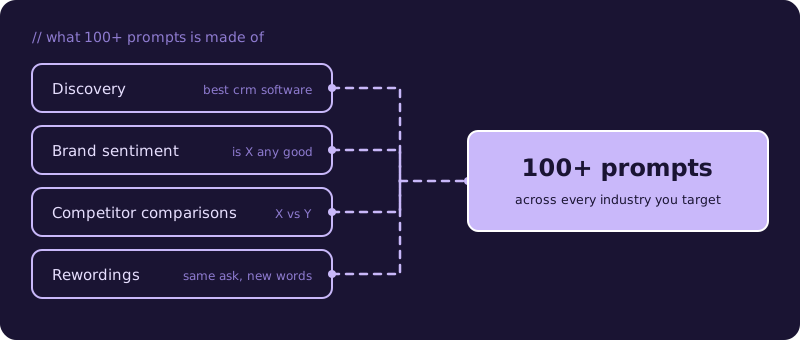
Cover four kinds of prompt:
- Discovery prompts
- Brand sentiment prompts
- Competitor comparisons
- The same questions in several wordings
Each shows something the others miss.
Limits to keep in mind
Your result depends on wording, location, model version and chance. One citation does not prove a strategy works; one miss does not prove it fails. Report what you saw, with dates.
FAQ
How often should I check?
Monthly is enough for most small sites. Check more often right after a major change to a page.
Can I automate this?
You can script prompts against APIs, but API answers can differ from what users see in the product. Verify against the live product before trusting a script.
Does being cited send traffic?
Sometimes. Clicks from AI answers are usually small compared with normal search, so measure brand visibility as well as visits.
Why does my own search show different results from a friend's?
Answers vary with location, personalisation, the model version and plain randomness. That is why the log records several runs, and why a single screenshot proves little.